Contour Plot with Gradient Vectors Example
This example compares the gradient vectors of the function f(x,y) = x^2 + y^4 with its contour plot. I am using Maple. First I load some plotting commands.
| > | with(plots):with(plottools): |
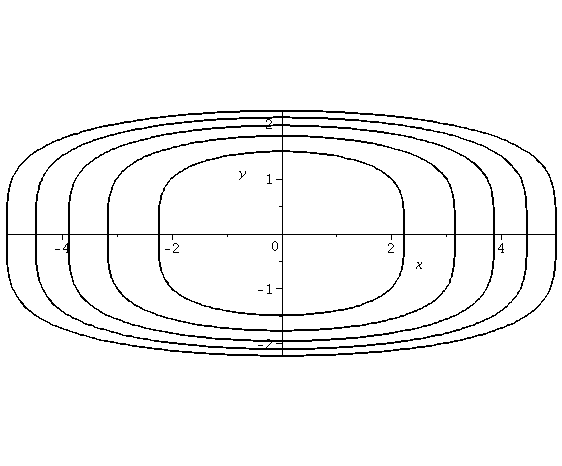
Now I'll do a contour plot. I set the contour values to 5, 10, 15, 20 and 25. That is we will plot level courves for f(x,y) =5, 10, 15, 20 and 25. I will put the plot in the variable "cp" and the display it.
| > | cp:=contourplot(x^2+y^4,x=-5..5,y=-3..3,contours=[5,10,15,20,25],grid=[100,100],color=black): |
| > | display(cp); |
|
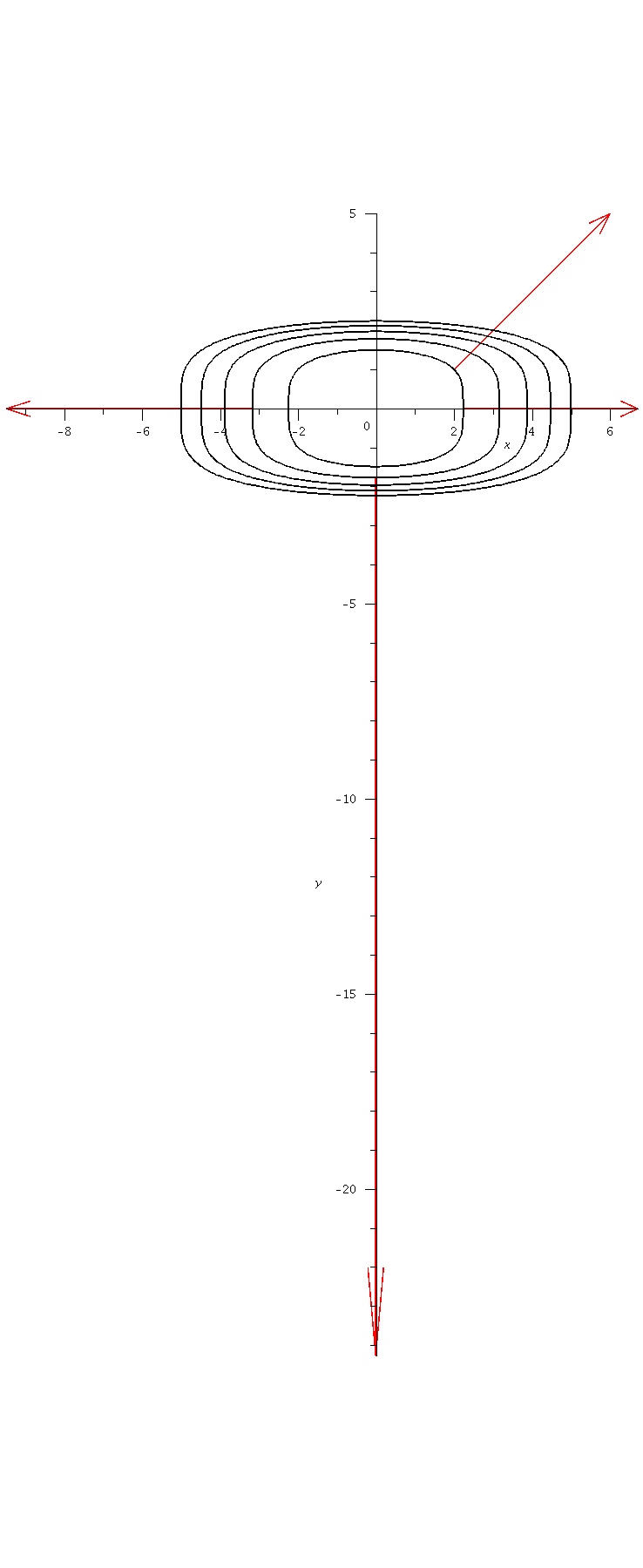
When the contour curves are closer together the surface is steeper and the gradient vector will be larger. I picked four to plot. The first is based at (sqrt(5), 0). The gradient vector, <2x, 4y^3> is equal to <2sqrt(5), 0> here. This is stored as V1 using the arrow command. The arrow commends below take in the base point, then the vector to use and then some options that control the style of the arrow.
| > | V1 := arrow([sqrt(5), 0], Vector([2*sqrt(5), 0]), .1, .4, .1, arrow, color = red): |
| > | V2 := arrow([-sqrt(10), 0], Vector([-2*sqrt(10), 0]), .1, .4, .1, arrow, color = red): |
| > | V3 := arrow([2, 1], Vector([4, 4]), .1, .4, .1, arrow, color = red): |
| > | V4 := arrow([0, -10^(1/4)], Vector([0, -4*(10)^(3/4)]), .1, .4, .1, arrow, color = red): |
Now we display the four gradient vectors overlayed with the contour plot.
| > |  display(V1, V2, V3, V4, cp); display(V1, V2, V3, V4, cp); |
 |
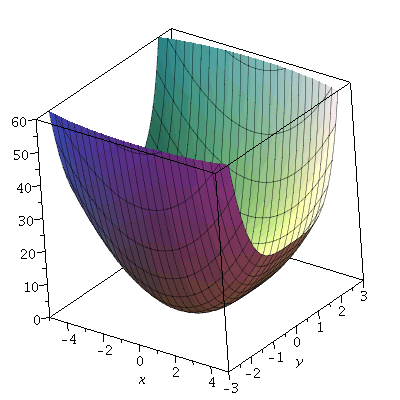
Finally, let's have a look at the surface.
| > | plot3d(x^2+y^4,x=-5..5,y=-3..3,view=0..60); |
 |
| > |